

What is OrganizePhotos.app?
OrganizePhotos is a local-first photo workspace that runs in your browser. Photos never leave your device, and you organize them on your own terms.
OrganizePhotos is a photo organizing workspace that runs in your browser. It never uploads your photos, never asks you to sign up, and never locks your library into a cloud album. Import local photos or choose a local folder, then clean up, organize, find, and export your library in one workspace.
This article comes from research into photo-organizing communities. We worked through more than 15 highly upvoted discussions and first-person accounts across communities like Reddit, trying to answer one question, why organizing photos is so hard for almost everyone, and what a trustworthy tool should look like. Quotes in this article come from real users and are kept in their original wording.
Why organizing photos is so hard
The most consistent finding is that people don't face a single "too many photos" problem, but a cluster of problems that reinforce each other. Photos keep arriving from phones, cameras, and laptops, accumulating over years. Every attempt to organize confronts the full weight of history, with no obvious place to start and no way to finish in one sitting. When organizing gets interrupted, new photos keep coming in and the backlog grows again.
"Now I'm overwhelmed and have a hard time finding photos."
The second pattern is memory. When people look for a photo, they usually remember the person, the place, the event, or the text in a screenshot, not the capture date, the file name, or the folder. A single date-based directory cannot match everyone's way of remembering.
"I can never remember when a particular photo was taken, but for some reason I never forget where."
The third pattern is trust. Photos carry irreplaceable emotional or professional value, and people fear automatic tools that might delete the only original, scramble the original order, or overwrite a higher-quality version.
"I don't trust any software to delete my images for me."
The fourth pattern is the tug between cloud convenience and local control. Cloud services offer cross-device browsing and search, but users worry about recurring fees, upload speed, privacy, format conversion, and platform lock-in.
"I do want local copies ... the problem is uploading that many files just doesn't work."
The research shows roughly three kinds of users. Phone users face storage pressure and screenshot clutter, photographers and large-library owners care most about import performance and file relationships, and family archivists worry most about preserving people's identities and original order. Their pain points differ, but they converge on the same need, an organizing system that is sustainable over time, safe to fall back from, and matched to the way people actually remember.
What OrganizePhotos does
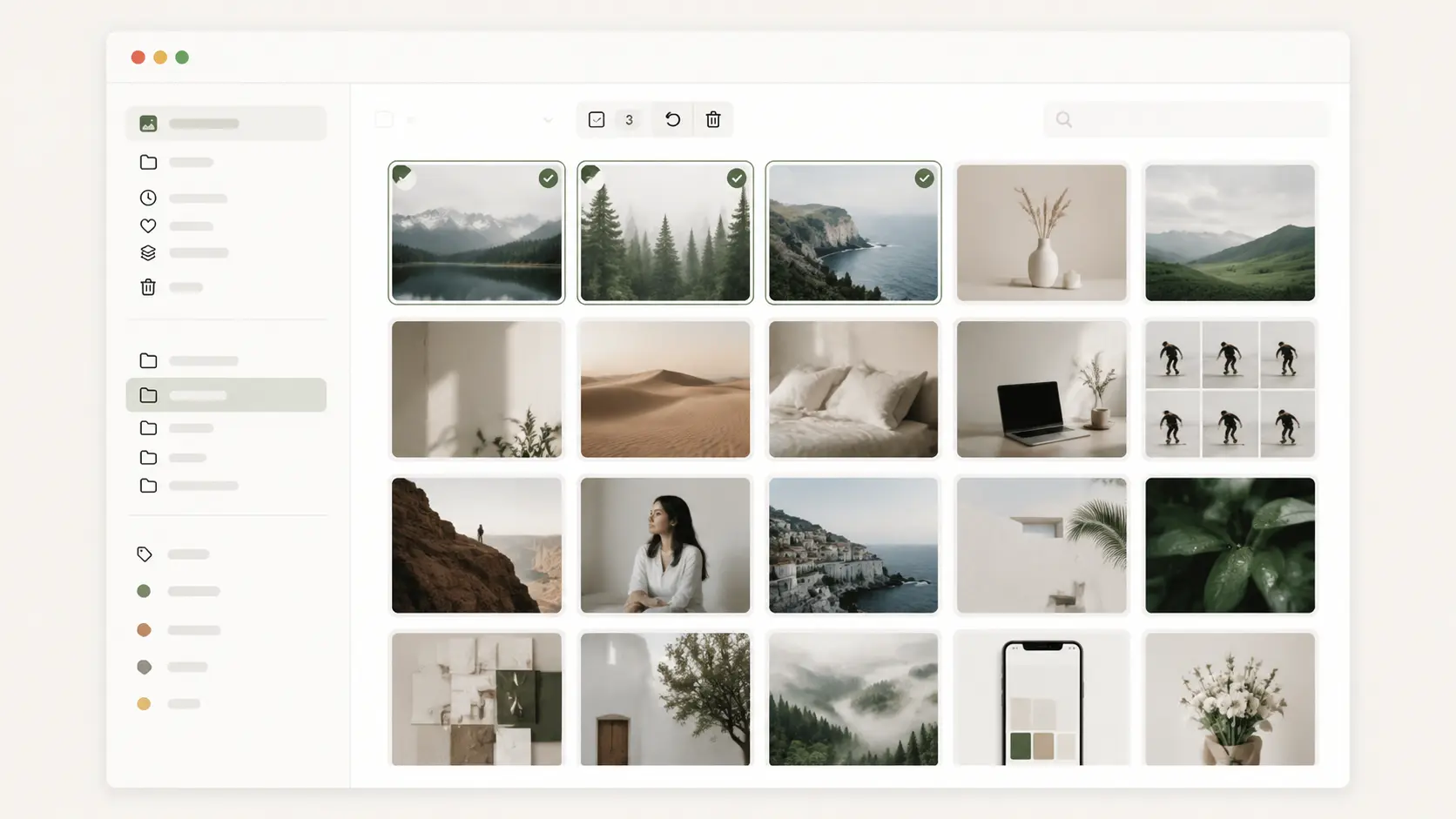
OrganizePhotos is a local-first photo workspace in the browser. It doesn't upload photos, doesn't require an account, and doesn't lock users into a cloud album. Import local photos or choose a local directory, then clean up, organize, find, and export your library in one workspace.
Three existing strengths sit underneath this design.
First, a local-first photo workspace. Every image, library state, and directory projection lives in the browser or in a local directory the user chooses, with no upload, no login, and no waiting on cloud sync. A browser library can be explicitly exported to a local directory, and a directory library can be restored from its local index.
Second, it never forces a single organizing method. Folders and subfolders suit date-, place-, or event-based structures, while tags suit themes, people, or uses that cut across directories. Grid, list, masonry, and adaptive layouts let users browse their own way, and search already covers names, tags, and folder names.
Third, recoverable batch cleanup. Multi-select and batch operations lower the cost of going photo by photo, deletion goes to the trash first and can be restored, and permanent deletion asks for confirmation again. Unmarked and unclassified views help users keep working through the backlog.
Where to start
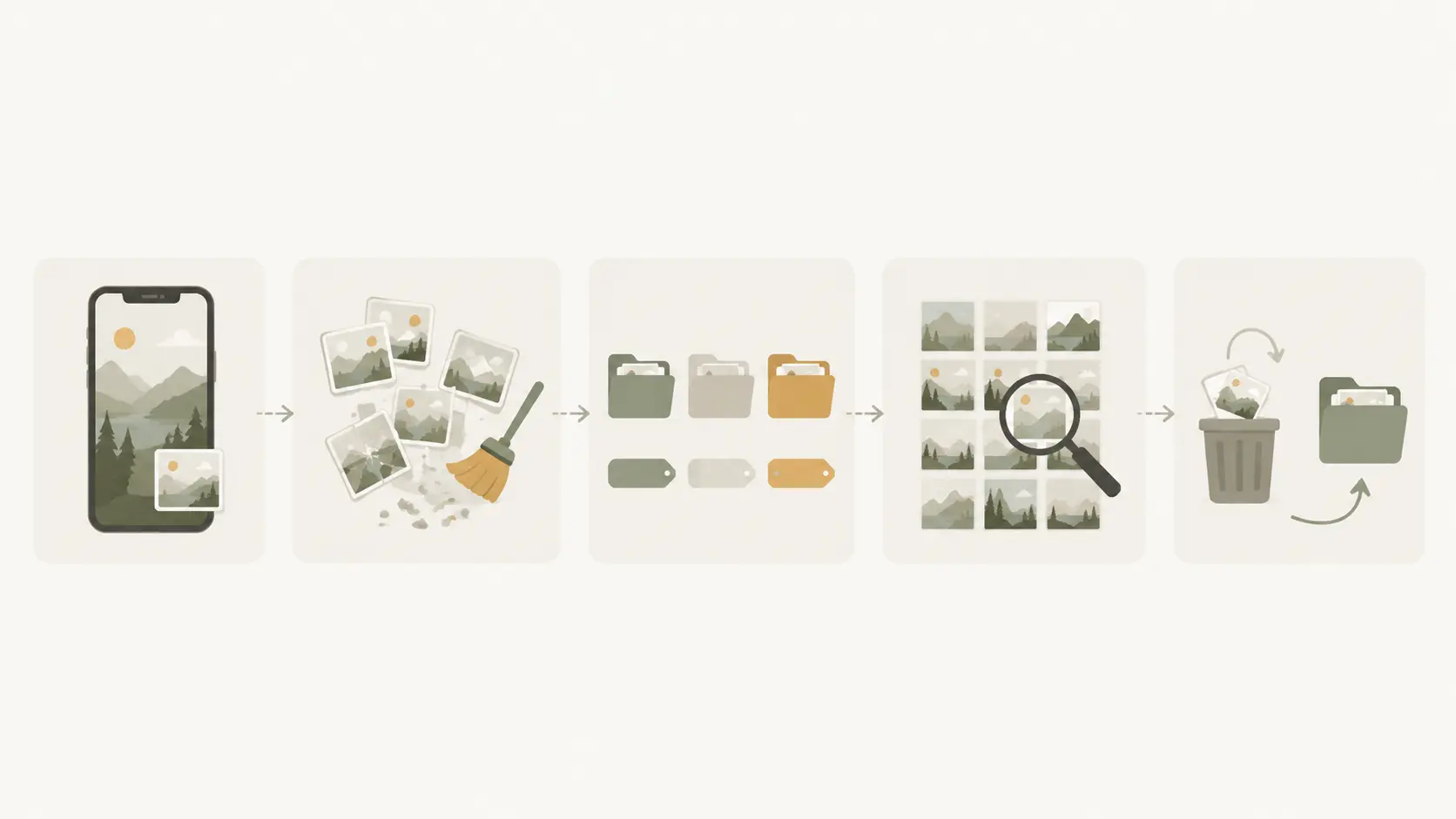
A product introduction doesn't need a feature list, it needs a sequence to follow. Our research converged on five steps, and each one maps to a capability that exists today.
Step one, photos stay on your device. Not uploading photos to someone else's server is the foundation that makes the whole system safe to fall back from.
Step two, start with duplicates and backlog. Burst shots, accidental captures, old screenshots, and exact duplicates are the content that multiplies every downstream cost, so clear them out first instead of starting with the most precious photos.
Step three, organize with folders and tags your own way. No single structure fits everyone's memory, so folders and tags coexist and the rules stay with the user.
Step four, find photos again when you need them. Search by name, tag, or folder and get back to the context of the photo, instead of drilling through directories level by level.
Step five, restorable deletion and portable results. Batch cleanup goes through the trash first, and the organized directory is just plain files, so nothing is lost when you change software, drives, or services.
What's next
The following are directions from the research. They are directions, not promises, and none of them is implemented yet.
- Local duplicate photo check. Find duplicate photos on your device, then let you decide which one to keep.
- A photo cleanup inbox. Turn unclassified photos, screenshots, and to-delete photos into small, completable batches.
- A local date-organizing preview. Preview how photos would be archived by year, month, or custom rules before deciding to execute.
- A portable local library. Keep your organized results in your directory, instead of only inside an online album.
Finding photos by name, tag, and folder is already a working capability today.
What we deliberately don't do
Boundaries matter as much as direction. Some capabilities conflict with the core local-first promise, and we choose not to build them.
- No cloud sync, public share links, or curated cross-device libraries.
- No cloud AI classification, face recognition, or automatic content understanding.
- No fully automatic deletion, auto-organizing, or unconfirmed batch operations.
- No RAW, video, professional editing, or full DAM replacement.
- No performance promises that we haven't verified against real large libraries.
In closing
Organizing photos is hard not because people lack discipline, but because most tools define organizing as uploading, subscribing, and letting software decide for you. OrganizePhotos changes the definition back, photos stay on your device, you start with the backlog, you organize your own way, and everything stays recoverable and portable.
Visit organizephotos.app and start organizing in your browser.